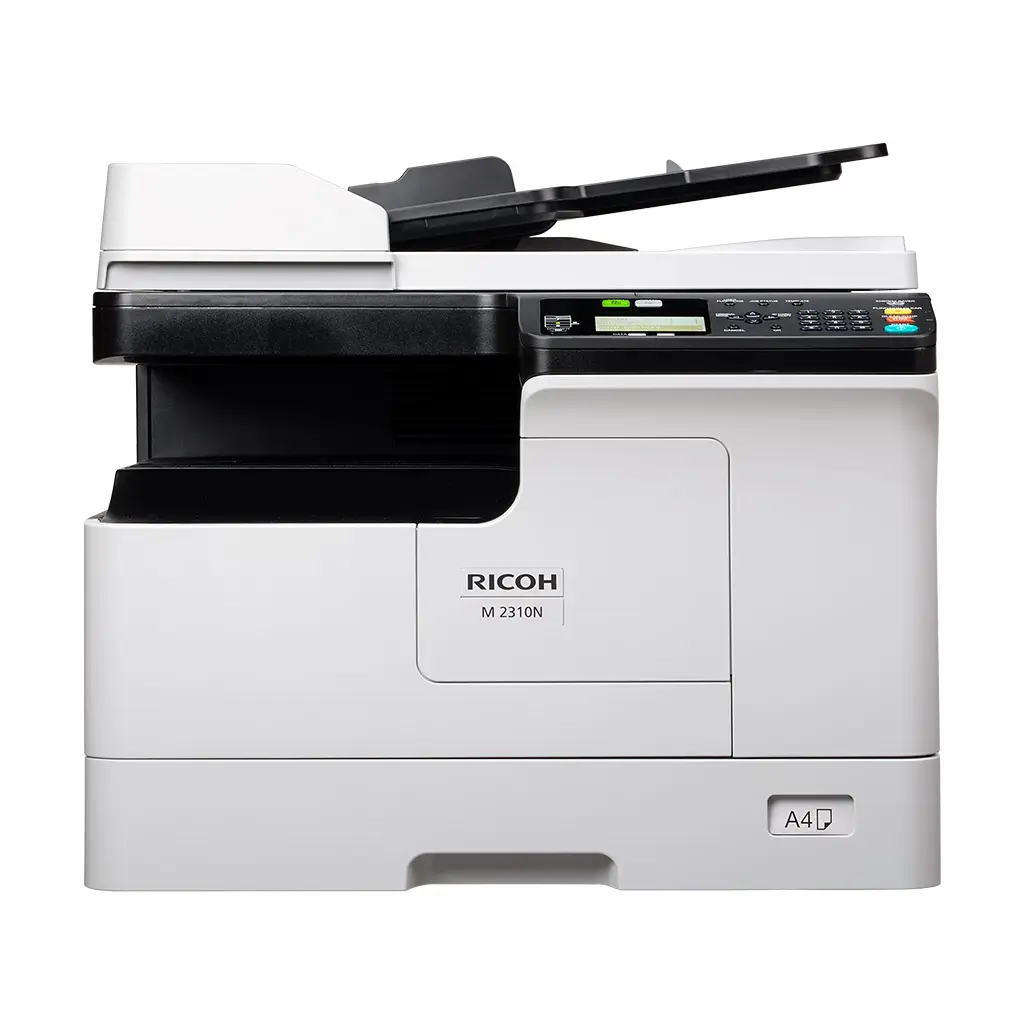
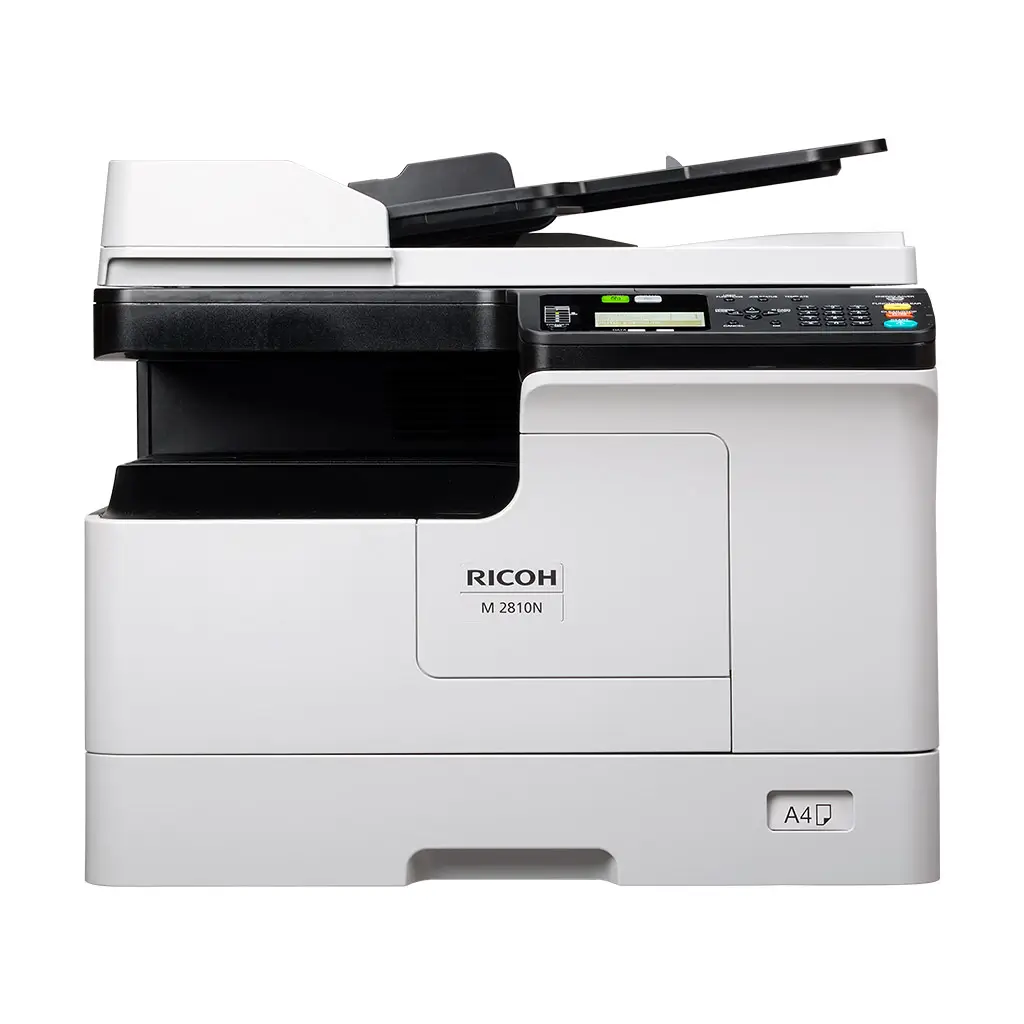
M 2310N & M 2810N

  • Print, Scan dan Copy
  • Cetak dokumen s/d 27 lembar/ menit
  • A3, A4, A5, dll
  • 2400 x 600 dpi maks resolusi cetak (smooting process)
  • Opsional tambahan Kertas Tray 1 x 250 lembar 
  • Bypass 1 x 100 lembar
  • Port USB (Scan to USB & Print from USB)
  • Konektivitas Port USB dan LAN
  • WiFi (Optional) 

Produk Ricoh MFP B&W

Perangkat Multi Fungsi dengan kehandalannya hadir dengan cost/ biaya yang rendah, serta mendukung konektifitas LAN sehingga dapat dengan mudah membagi perangkat kebeberapa komputer.


  • Pilihan kertas yang fleksibel dari laci utama 1 atau 2 x 500 lembar dan bypass 50 lembar
  • Fitur duplex memungkinkan Saudara mencetak pada kedua sisi halaman
  • Aplikasi Smart Device Connector atau “Ricoh M2310 Mobile Print&Scan App” Solusi Cetak dengan Smartphone
  • Tersedianya konektifitas menggunakan kabel USB, LAN bahkan optional WiFi
Functions
Copy, print, scan
Colour
No
Storage
Not available
Memory – standard
512 MB
Operation panel
4-line LCD
Physical dimensions (WxDxH)—mainframe
575 x 565 x 402 mm—without platen cover or ARDF
Weight—mainframe
24.4 kg
Standard input capacity (sheets)
350
Maximum input capacity (sheets)
600
Standard output capacity (sheets)
100
Paper input configuration – standard
250-sheet standard input tray, 100-sheet bypass tray
Paper output configuration – standard
100-sheet output tray
Supported media

Standard paper input tray
Plain paper

Bypass tray
Plain paper, Thick paper, Thin paper, OHP film, Label paper, Envelope (52–216 g/m2)
Note: Only 64–80g/m2 paper is supported when printing duplex or multiple originals continuously.

Optional paper feed unit

Plain paper

Maximum paper size
A3
Media weight (g/m2)
52–216
Interfaces – standard
10Base-T/100Base-Tx (Ethernet)
High Speed USB 2.0
Network protocols – standard
TCP/IP (IPv4, IPv6)
Copy speed
23 cpm
First copy time
6.4 seconds
Copy resolution

Scanning
150 x 150 dpi—black and white
200 x 200 dpi—greyscale, colour


Printing
2,400 x 600 dpi

Zoom range
25%–400% in 1% steps—platen; 25%–200% in 1% steps—ARDF
Book copy
Supported
ID card copy
Supported
Print speed black and white
23 ppm—A4
14 ppm—A3
First print time
6.4 seconds
Print resolution
2,400 x 600 dpi—with smoothing process
Page description languages (PDLs)
GDI
Printer drivers
GDI
Duplex printing
Standard
Mobile printing
RICOH M 2310 Mobile Print & Scan app
Print from USB/SD
Supported
Scan speed

A4, black and white 
25 ipm—200 dpi, 300 dpi

A4, colour
24 ipm—150 dpi, 200 dpi

Scan methods
Scan to USB, Scan to Mobile, Scan to folder (SMB)
Colour scanning
Standard
Scan resolution

Black and white
150, 200, 300, 400, 600 dpi

Greyscale, colour
150, 200, 300, 400, 600 dpi
Note: 400 dpi available only with A4 or smaller size. 600 dpi available only with A5-R size.

Scan to file types

PDF, JPEG, TIFF

Scan to folder

Protocols
SMB

Resolution
150 dpi (default), 200 dpi, 300 dpi, 400 dpi, 600 dpi
Note: 600 dpi colour scanning is only supported with A5-R. 400 dpi colour scanning is only supported with sizes smaller than A4.

Scan to folder file types
Single page
TIFF, PDF, JPEG

Multi-page
TIFF, PDF

TWAIN scanning

Scan resolution
150 dpi (default), 200 dpi, 300 dpi, 400 dpi, 600 dpi
Note: 600 dpi colour scanning is only supported with A5-R. 400 dpi colour scanning is only supported with sizes smaller than A4.

Scan mode 

Full colour, greyscale, black and white

Windows

Windows 10
Windows 11
Windows Server 2016
Windows Server 2019
Windows Server 2022

Standard

Web Image Monitor

Mobile apps
RICOH M 2310 Mobile Print & Scan
Power source
220–240 V, 50/60 Hz
Power consumption
1,500 W or less—maximum operating
722 W—operating
83.51 W—Ready Mode
6.86 W—Low Power Mode
0.94 W—Energy Saver Mode (Sleep Mode)
Typical Electricity Consumption (TEC)
0.35 kWh
Warm-up time
15 seconds
Recovery time
14.5 seconds
Functions
Copy, print, scan
Colour
No
Storage
Not available
Memory – standard
512 MB
Operation panel
4-line LCD
Physical dimensions (WxDxH)—mainframe
575 x 565 x 402 mm—without platen cover or ARDF
Weight—mainframe
24.4 kg
Standard input capacity (sheets)
350
Maximum input capacity (sheets)
1,700
Standard output capacity (sheets)
100
Paper input configuration – standard
250-sheet standard input tray, 100-sheet bypass tray
Paper output configuration – standard
100-sheet output tray
Supported media

Standard paper input tray
Plain paper

Bypass tray
Plain paper, Thick paper, Thin paper, OHP film, Label paper, Envelope (52–216 g/m2)
Note: Only 64–80g/m2 paper is supported when printing duplex or multiple originals continuously.

Optional paper feed unit

Plain paper

Maximum paper size
A3
Media weight (g/m2)
52–216
Interfaces – standard
10Base-T/100Base-Tx (Ethernet)
High Speed USB 2.0
Interfaces – optional
IEEE 802.11b/g/n (Wireless LAN)
Network protocols – standard
TCP/IP (IPv4, IPv6)
Copy speed
28 cpm
First copy time
6.4 seconds
Copy resolution

Scanning
150 x 150 dpi—black and white
200 x 200 dpi—greyscale, colour


Printing
2,400 x 600 dpi

Zoom range
25%–400% in 1% steps—platen; 25%–200% in 1% steps—ARDF
Book copy
Supported
ID card copy
Supported
Print speed black and white
28 ppm—A4
14 ppm—A3
First print time
6.4 seconds
Print resolution
2,400 x 600 dpi—with smoothing process
Page description languages (PDLs)
PCL 5, PCL 6 (XL)
Printer drivers
PCL 5, PCL 6 (XL)
Duplex printing
Standard
Mobile printing
RICOH M 2310 Mobile Print & Scan app
Print from USB/SD
Supported
Scan speed

A4, black and white 
25 ipm—200 dpi, 300 dpi

A4, colour
24 ipm—150 dpi, 200 dpi

Scan methods
Scan to USB, Scan to Mobile, Scan to folder (SMB, FTP), Scan to email
Colour scanning
Standard
Scan resolution

Black and white
150, 200, 300, 400, 600 dpi

Greyscale, colour
150, 200, 300, 400, 600 dpi
Note: 400 dpi available only with A4 or smaller size. 600 dpi available only with A5-R size.

Scan to file types

PDF, JPEG, TIFF

Scan to email

Protocols 
SMTP, POP3

Scan resolution
150 dpi (default), 200 dpi, 300 dpi, 400 dpi, 600 dpi

Scan to email file types
Single page
TIFF, PDF, JPEG

Multi-page
TIFF, PDF

Scan to folder

Protocols
FTP, SMB

Resolution
150 dpi (default), 200 dpi, 300 dpi, 400 dpi, 600 dpi
Note: 600 dpi colour scanning is only supported with A5-R. 400 dpi colour scanning is only supported with sizes smaller than A4.

Scan to folder file types
Single page
TIFF, PDF, JPEG

Multi-page
TIFF, PDF

TWAIN scanning

Scan resolution
150 dpi (default), 200 dpi, 300 dpi, 400 dpi, 600 dpi
Note: 600 dpi colour scanning is only supported with A5-R. 400 dpi colour scanning is only supported with sizes smaller than A4.

Scan mode 

Full colour, greyscale, black and white

Windows

Windows 10
Windows 11
Windows Server 2016
Windows Server 2019
Windows Server 2022

Macintosh
Max OS Native v10.12, 10.13, 10.14, 10.15, 11.6, 12.3.1—PostScript 3 only 
Standard

Web Image Monitor

Mobile apps
RICOH M 2310 Mobile Print & Scan
Power source
220–240 V, 50/60 Hz
Power consumption
1,500 W or less—maximum operating
722 W—operating
89.96 W—Ready Mode
6.53 W—Low Power Mode
0.97 W—Energy Saver Mode (Sleep Mode)
Typical Electricity Consumption (TEC)
0.41 kWh
Warm-up time
15 seconds
Recovery time
10.5 seconds

M 2310N 

M 2310N perangkat MFP terbaru dengan kecepatan cetak 23 lembar/ menit. Terdapat pilihan dengan ARDF maupun hanya platen Cover serta dapat ditambahkan opsi tray tambahan dengan kapasitas 1 x 250 lembar

M 2810N

M 2810N merupakan perangkat MFP dengan kecepatan cetak 28 lembar/ menit. Terdapat pilihan dengan ARDF maupun hanya platen Cover serta dapat ditambahkan opsi tray tambahan dengan kapasitas 1 x 250 lembar

Share This